.png)
Synchronous vs. Asynchronous: Which is better (and which is right for my startup?)
Communication is important within a team. Learning the difference between synchronous vs. asynchronous communication and when to use each is essential.

Defining synchronous and asynchronous communication
Synchronous communication is a form of communication where everyone involved is present and speaking in real time. Asynchronous communication is a form of communication where everyone involved responds on their own time and when it works best for their schedule.
The main difference revolves around the mode of communication and when recipients respond.
Both forms of communication have a time and a place, but too many teams default to synchronous communication, which can ultimately reduce productivity and impact your team’s ability to get things done.
There are a number of different types of each communication format, many of which you may not have considered and are already a part of your day-to-day.
Types of synchronous communication
Synchronous communication types are all formats that involve direct, real-time communication with each other.
This can look like:
- In-person meetings
- Phone calls
- Video calls
- Ad hoc meetings and conversations
Too many synchronous meeting request notifications pop up on our calendars stemming from a fear that if we're not meeting face-to-face at fixed intervals, our productivity and output are bound to suffer. While research tells us this is absolutely not the case, this belief has taken hold of many organizations.
Types of asynchronous communication
Asynchronous communication types are sent and then responded to at each team member’s own pace.
One caveat is that many organizations have come to expect things like email and direct messages to be responded to immediately. But for async to be successful and improve productivity, this cannot be the case.
Asynchronous communication (without immediate response expectations) should look like:
- Emails
- Voice messages
- Chat apps
- Project management software
- Shared team communication spaces
- Text messages
- Video recordings
- Notes in a document
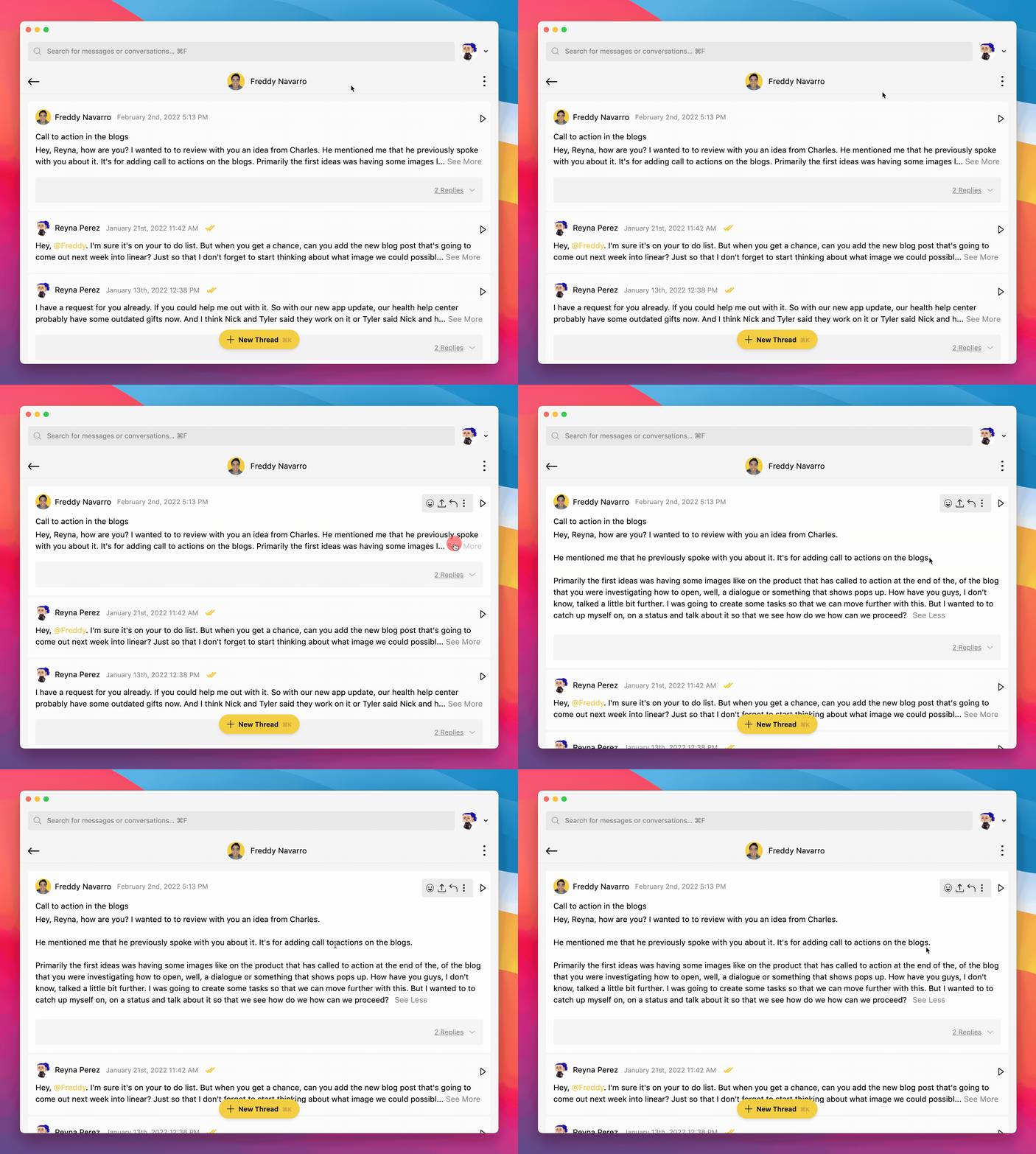
One way to get the feel of synchronous chats without the need to actually be together is to utilize asynchronous voice communication.
Recording voice messages is quicker than typing out an email—it’s seven times faster, actually.
It’s also a great way to convey subtle distinctions in tone and relay complicated messages without having to find the best way to avoid text-based miscommunication.
Async voice messaging gives you the benefits of face-to-face communication without needing to coordinate schedules or suffer from Zoom fatigue. With tools like Yac, you can easily record and share voice messages or share your screen (and draw on it), give feedback, share information, ask a question, brainstorm an idea, etc. Then colleagues can respond at a time that suits them best.
Want to know if a message is worth your time? Scan voice message transcripts with Yac’s built-in transcription to see if it’s something you need to address now or prioritize for later.
Asynchronous vs. synchronous: Pros and cons
As we said, both sync and async communication have a time and a place. However, we believe that async platforms like Yac should be the default method of communication across every team.
To prove our point, let’s dive into some pros and cons of each.
Pros of synchronous communication
There are two real pros of synchronous communication. It’s the ideal method of communication during crisis management or when a major business decision needs to be made.
You get responses in real time. If an urgent discussion needs to be had, synchronous is the way to go. For example, if your servers go down, you’ll need to meet in real time to mitigate any damage. By meeting in real time, you can talk things out, defuse situations, get an immediate response, and make important decisions.
Build relationships easily. While it is absolutely possible for fully remote teams to build relationships via asynchronous methods, having that in-person or real-time connection is sometimes useful (it’s what we’re used to). Sync meetings are great when they’re team-building off-sites or onboarding new clients or team members.
Cons of synchronous communication
As teams have moved to remote work cultures and hybrid models during the pandemic, synchronous communication usage (meetings, urgent emails, and Slacks) has increased.
The increase in face-to-face presents the following challenges:
- Zoom fatigue reduces staff well-being and productivity. In the great shift to remote in March 2020, video conferencing became an all-day event for some. Soon we realized this was not sustainable, as professionals everywhere burned out.
- Deep work gets disrupted. Deep work requires being able to focus on a single task for a long period of time. Synchronous conversations and ad hoc meetings interfere with that ability, hindering productivity through context switching. With 75% of knowledge workers saying they’re more productive with fewer interruptions, preserving your employees’ time for deep work is critical.
- It can be difficult to align distributed teams. As more teams turn to remote work, there’s less location dependency, meaning teams can comprise members across the country and the world. It can be tricky to align meeting times across time zones, making asynchronous operations more appealing to global teams.
- Responses are spontaneous and not thought out. Have you ever thought about something you wish you'd said differently in a meeting? Or something you wish you'd contributed after the meeting ended? Asynchronous communication allows time to think about a complete response.

Pros of asynchronous communication
Asynchronous communication is the answer to questions about how to achieve better work-life balance. It clears calendars and inboxes, and it doesn't require elaborate schedule synchronization or extended time away from important, focused tasks.
Async is about hitting the reset button on how we communicate. And it’s something we’re passionate about here at Yac.
With async communication, employees can plan out and type or record (and re-record) responses to make sure they've hit every talking point. They can share comprehensive, detailed plans, feedback, questions, answers, and more.
Here are a few of the many pros of async communication:
- Have fewer meetings. Sharing information doesn’t need to happen face-to-face. Standups, check-in meetings, progress update chats (and other meetings) can all happen without blocking time in people’s diaries.
- Provide flexibility across time zones. Asynchronous communication doesn’t require face-to-face communication at the same time. Instead, team members can collaborate when it makes sense for their own schedule and working hours.
- Allow team members to communicate on their own time. No more disrupting important work for video conferencing. With async, team members can easily hop into their various tools like Threads, Twist, discussion boards or forums when it works for them.
- Align in-office hybrid workers with their fully-remote counterparts. One major issue that hybrid teams face is proximity bias, or the tendency to treat those physically closer to us differently than those further away (i.e. in-office vs. remote employees). Setting communication expectations to be primarily async helps to combat this by ensuring all communication is equal whether or not you’re physically in the office.
- Help with seamless client management. Show clients how they can get the most out of your working relationship, asynchronously. Instead of walking new clients through your processes, create documents or video tutorials about your project management systems, share information about how your team receives and responds to communication and feedback, and make sure everyone is on the same page every step of the way.
- Enable workations. Async alongside remote work provides a unique opportunity for workers to travel and explore new parts of the world while still working a full-time job, like taking a “workation” or “digital nomading.”
Cons of asynchronous communication
We all know the saying, “every rose has its thorn,” and the same can be said for asynchronous communication. With async, there are two cons to keep in mind.
(Luckily, async's downfalls can easily be avoided with some preparation.)
- Async takes some adjusting. For those transitioning from a more “traditional” communication standard, it can take some time to acclimate to teammates responding in their own time. However, as long as you’re proactive and standardize communication processes for your team, this should become a breeze.
- Miscommunication can occur. Emails and Slacks can often leave recipients guessing/worrying about the tone the sender was going for. They’re also easy to lose in busy inboxes and channels. Using voice messages or video recordings for complicated conversations is a great way to avoid miscommunication, and project or task-related notes can easily be handled within project management tools (like Asana) or docs (like Google Docs and Notion).

Asynchronous vs. synchronous processes in your startup
Many organizations are jumping on board with async processes. For example, Netflix recently redesigned its approach to meetings.
The company established rules like meetings cannot go beyond 30 minutes, one-way information-sharing meetings will be replaced by video messages and docs, and meetings that do happen must limit attendees. 🎉
Early results show that Netflix reduced scheduled meetings by more than 65%, and more than 85% of employees are in favor of the new pro-async approach.
How to implement an asynchronous communication culture in your startup
Looking to implement your own async culture within your startup? Switching away from mostly synchronous operations to an async default can take some time and require adjustments.
But if you follow these steps and guidelines, you should be well on your way to deploying your own asynchronous culture.
Determine when async should rule
Your first step is to decide the best times to use async by assessing individual work habits and time zones. As team leader, it’s your job to implement these new guidelines. But you should be respectful to how your team is already used to working as well.
This means looking at where each team member is located, what time zone they’re in, and when their typical work hours are.
If there’s a time that your team can align once a month or so for a team meeting, consider keeping that available for open office hours. This way, if someone on your team wants to meet to discuss something more sensitive, they have an outlet to do so. But it’s also not putting meetings on everyone’s calendar unnecessarily.
Otherwise, hold async meetings that allow you to check in on your team’s progress and answer any questions they may have.
You also want to think about your team’s typical communication habits. What can benefit from moving to async? Also ask your team members for their input on communication that would be better held asynchronously.
Break the cycle of instant responses
Workers currently have a habit of responding to emails in under 30 minutes and Teams chats in under five minutes.
To combat this, install the right arsenal of async tools for your team by surveying productivity and workflow needs. This will remove urgency from things that are not urgent (regular emails and Slacks) and leave room to flag urgent topics should they arise.
Having a conversation around changing expectations of response times is key to seeing success with async.
When your team first implements this new communication style, it could be beneficial to have team members set up an “away message” or “status” on your team communication app that says something like “Deep work until 3 p.m. ET,” so people know when to expect a response.
Standardize processes and train your team
Create things like handbooks and true north docs (in tools like Almanac) that standardize your communication processes and help ensure everyone is on the same page.
These will be essential for properly training current team members on the new communication style as well as helping new hires learn the ropes during their onboarding phase.
Adjust and adapt
Every new company process will need to evolve until it’s perfected. Adjust and adapt your new async culture as you go by encouraging regular asynchronous feedback.
Consider creating a specific discussion group or starting a new document where team members can regularly input their own ideas and feedback for improving communication amongst the team.

Key takeaways
Ready to jump on the async train? Asynchronous communication is a great way to improve productivity on your team while still fostering a sense of connection amongst your team.
Book a discovery call to learn more about how Yac can help you on your journey to async.

Backtrack is an AI-powered platform that automatically records every 1:1 meeting, generates accurate transcripts and CRM-ready notes, and delivers ROI reports sponsors can use as proof—so organizers can drive rebooks with data, not vibes—across trade shows, hosted buyer events, and other 1:1 meeting programs.